Troubleshooting eduroam on FreeRADIUS
Many eduroam deployments rely on FreeRADIUS to authenticate users and route authentication requests between institutions.
When something goes wrong, the FreeRADIUS debug output often contains the answer. The challenge is finding it.
Sign up to get the free FreeRADIUS Debug Viewer. We’ll also keep you updated on Inkquire and add Ethan Thompson’s TechEX26 session resources here after the event.
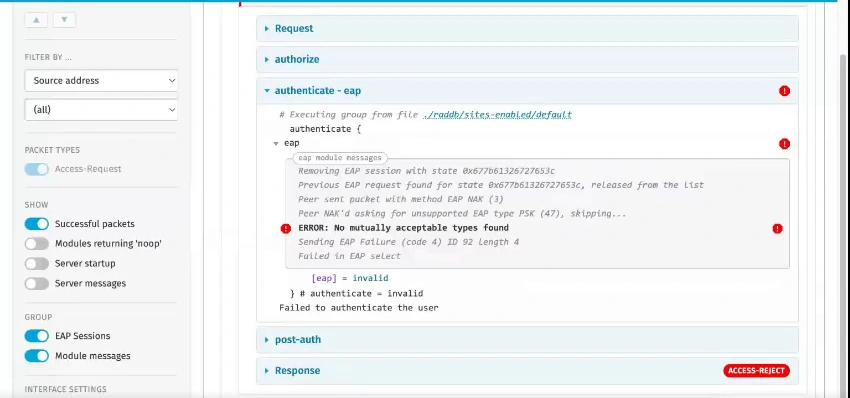
The FreeRADIUS debug logs
have plenty to say.
When an eduroam user cannot connect, FreeRADIUS debug mode shows you exactly what the server received, which modules ran, how the EAP exchange progressed, and where warnings or errors appeared.
Except the debug output is large and complicated. Now you have two problems.
You could ask questions on a forum or a mailing list. Or paste the output into an AI tool. You might get help, but it means sharing potentially sensitive data, and the answer may still be wrong. Redact too much info first, and you might remove the context needed to solve the problem.
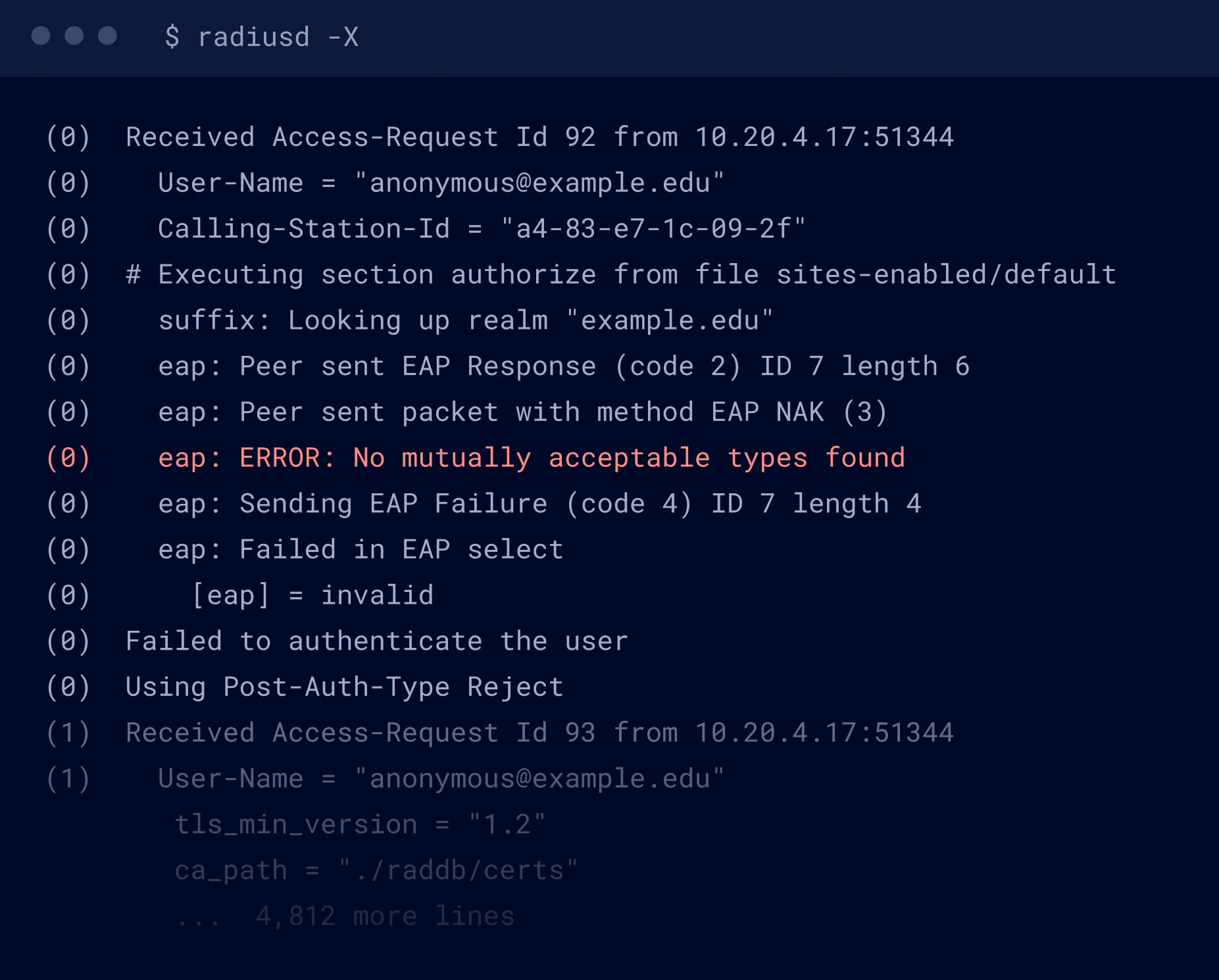
Find the problem quickly. Understand the solution.
The FreeRADIUS Debug Viewer presents radiusd -X output in a structured view so you can search, filter, follow
requests, and surface errors without scrolling through thousands of lines of code.
It’s the first tool in Inkquire, a growing suite of tools from the people who built FreeRADIUS.
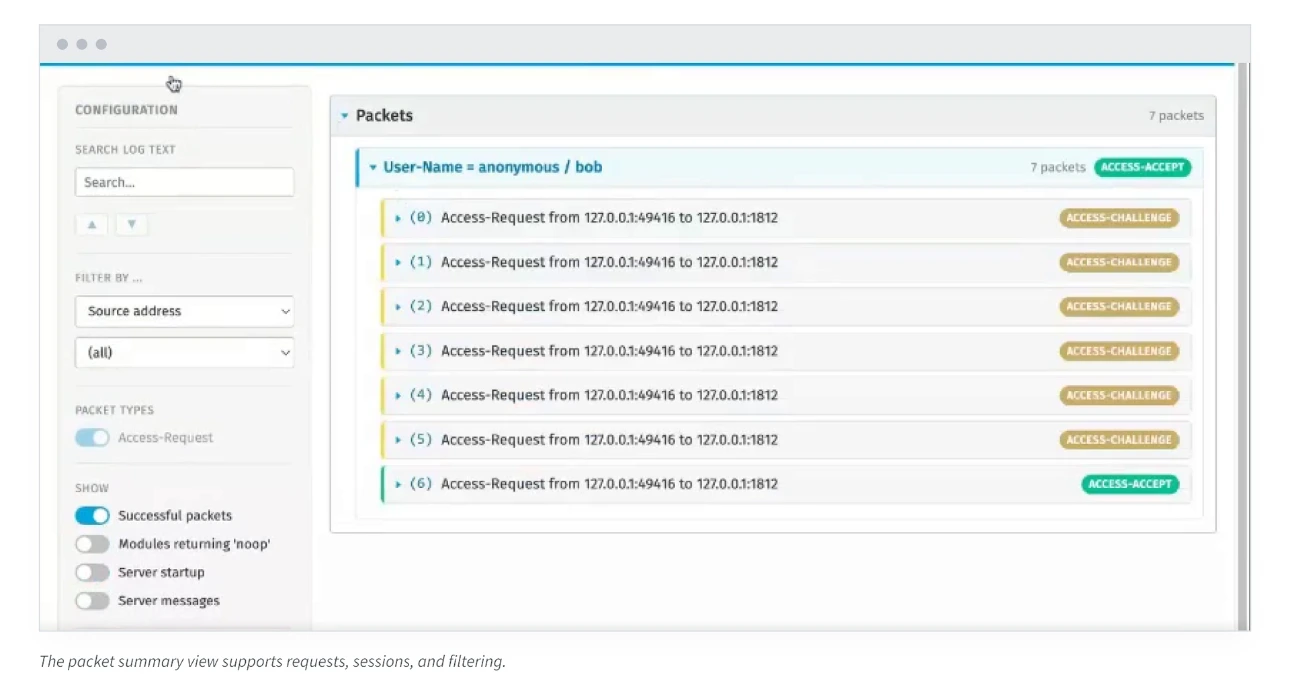
All of this capability lets you quickly filter out irrelevant information. What’s left is exactly what you need to
know in order to fix the problem.
In most cases, you can load the debug output and go straight to the root cause and solution.
The FreeRADIUS Debug Viewer runs locally. It does not need AI or cloud processing, so your debug output stays under your control.
Ethan Thompson’s TechEX26 resources

Ethan Thompson
Software Developer
A network and Internet security specialist, Ethan has expertise in PKI, DNS, TLS, and authentication. At InkBridge, he developed our BlastRADIUS tooling, helps to manage our datacentre, works on customer projects, and is involved in our standards bodies work.
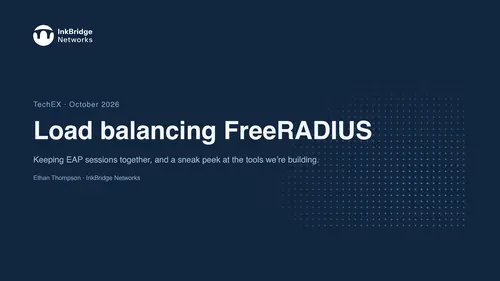
Recording
Ethan Thompson
Software Developer
A network and Internet security specialist, Ethan has expertise in PKI, DNS, TLS, and authentication. At InkBridge, he developed our BlastRADIUS tooling, helps to manage our datacentre, works on customer projects, and is involved in our standards bodies work.
Recording

Want to talk through your FreeRADIUS setup?
The core team at InkBridge Networks, led by Alan DeKok, founded FreeRADIUS and continues to maintain it.
We’ve worked on the server for more than 25 years, written most of the standards behind it, and deployed it in thousands of networks. We know the strange edge cases that show up in production because we’ve spent decades solving them.
If you have a FreeRADIUS, eduroam, or network authentication problem you want to discuss, book time with the InkBridge team.
Get the Viewer
The Debug Viewer is free. Sign up now and we'll send you the
download link after October 29.
We'll send a download link by email after October 29. We'll also send occasional updates about Inkquire and may ask what you'd like us to build next. You can unsubscribe at any time.
More resources for eduroam teams
Step Up Your Game
Experience unparalleled comfort, cutting-edge design, and performance-enhancing
technology with this latest innovation, crafted to elevate every athlete's journey.
