InkBridge EAP Inspector
Unlock seamless authentication and compliance for your devices. Available exclusively for our support clients.
Network compliance auditing & reporting
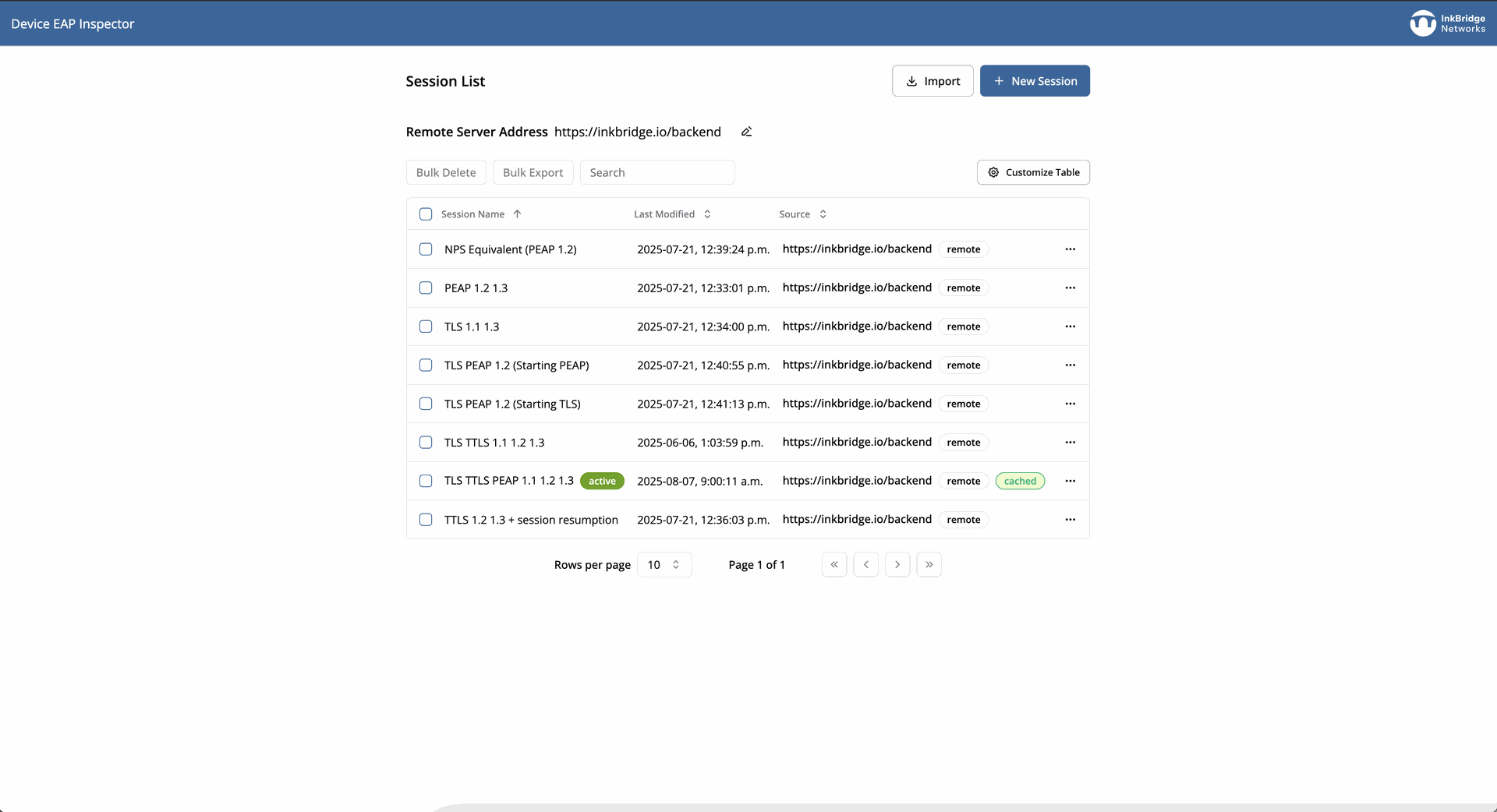
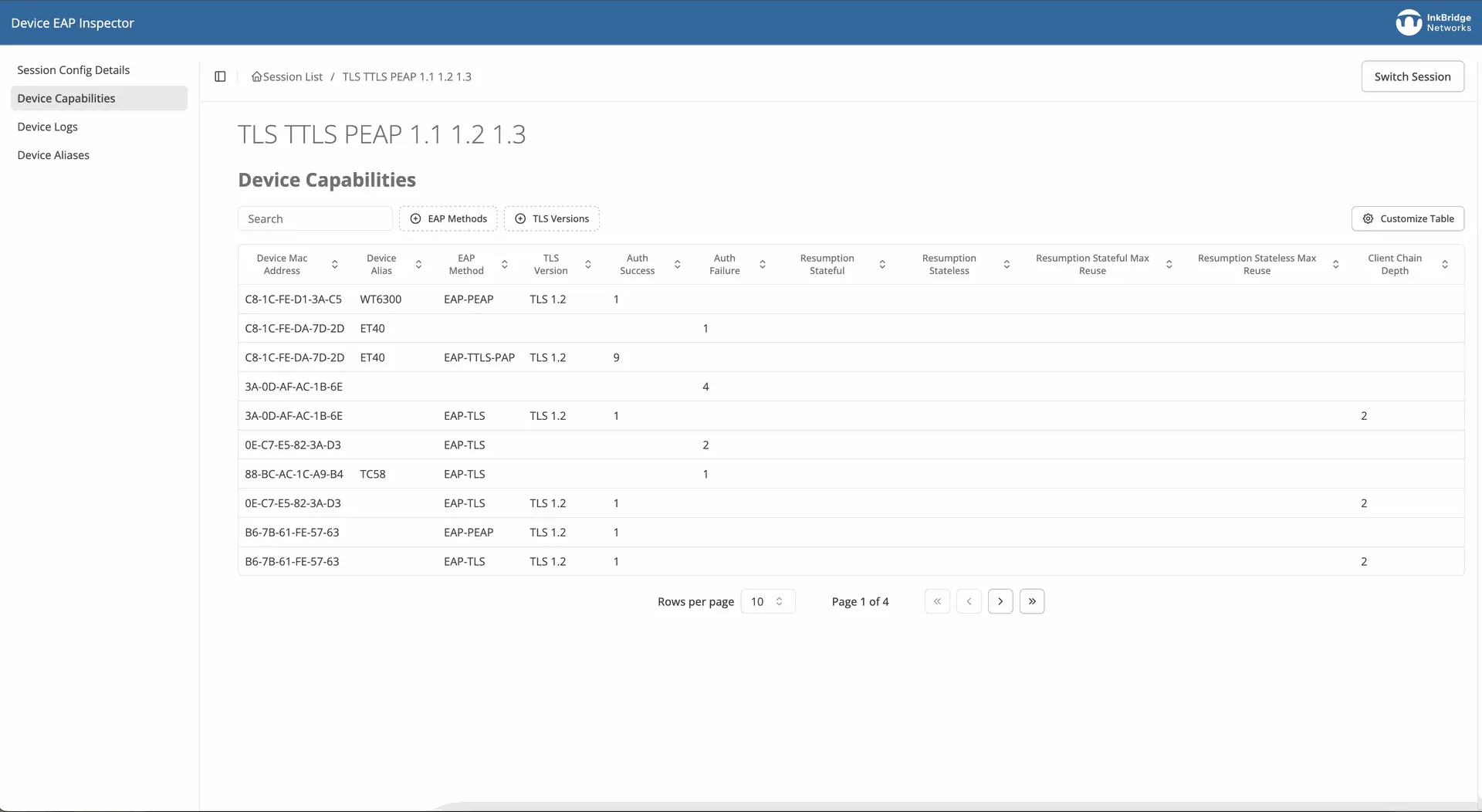
Effortlessly generate precise, detailed reports that accurately describe each device’s EAP capabilities—ideal for meeting regulatory standards and audit requirements. Ensure your organisation maintains full compliance with authentication protocols and security standards.
Deep insight into device TLS session resumption capabilities
In busy environments where devices connect and reconnect throughout the day, TLS session resumption is the secret to a lightning-fast, responsive network. When supported, devices instantly “recall” previous authentications—reducing network traffic and supercharging performance. The payoff? Faster connections, more productive employees, and less stress on your infrastructure.
But not every device is ready for this key optimisation. With EAP Inspector, your IT team can instantly identify which devices support TLS session resumption, unlocking smoother authentication and a more efficient network. No guesswork required.
Validate device authentication after software updates
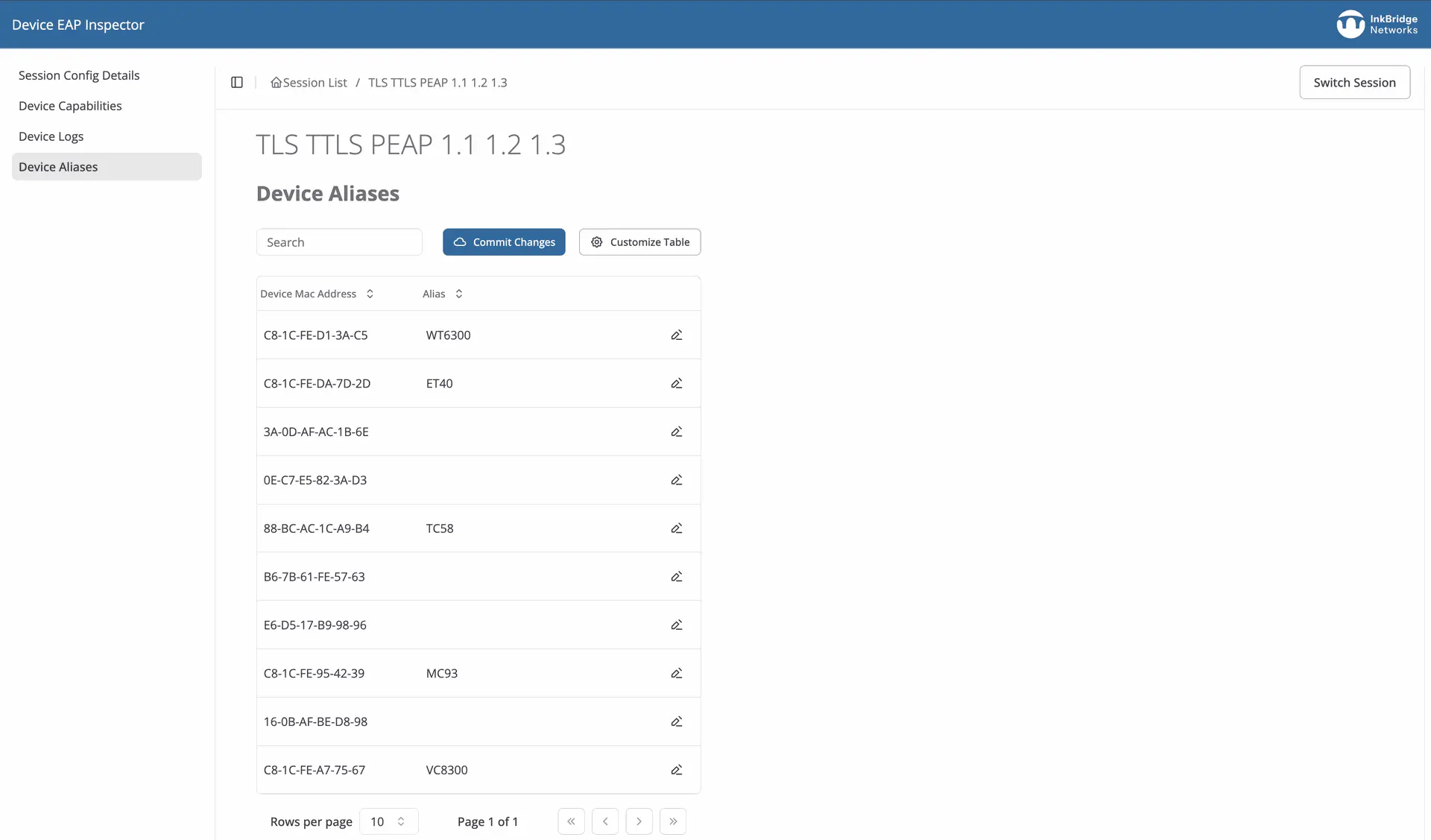
In environments filled with a heterogeneous mix of devices, confidently ensure compatibility with network authentication infrastructure, reducing integration headaches and support calls.
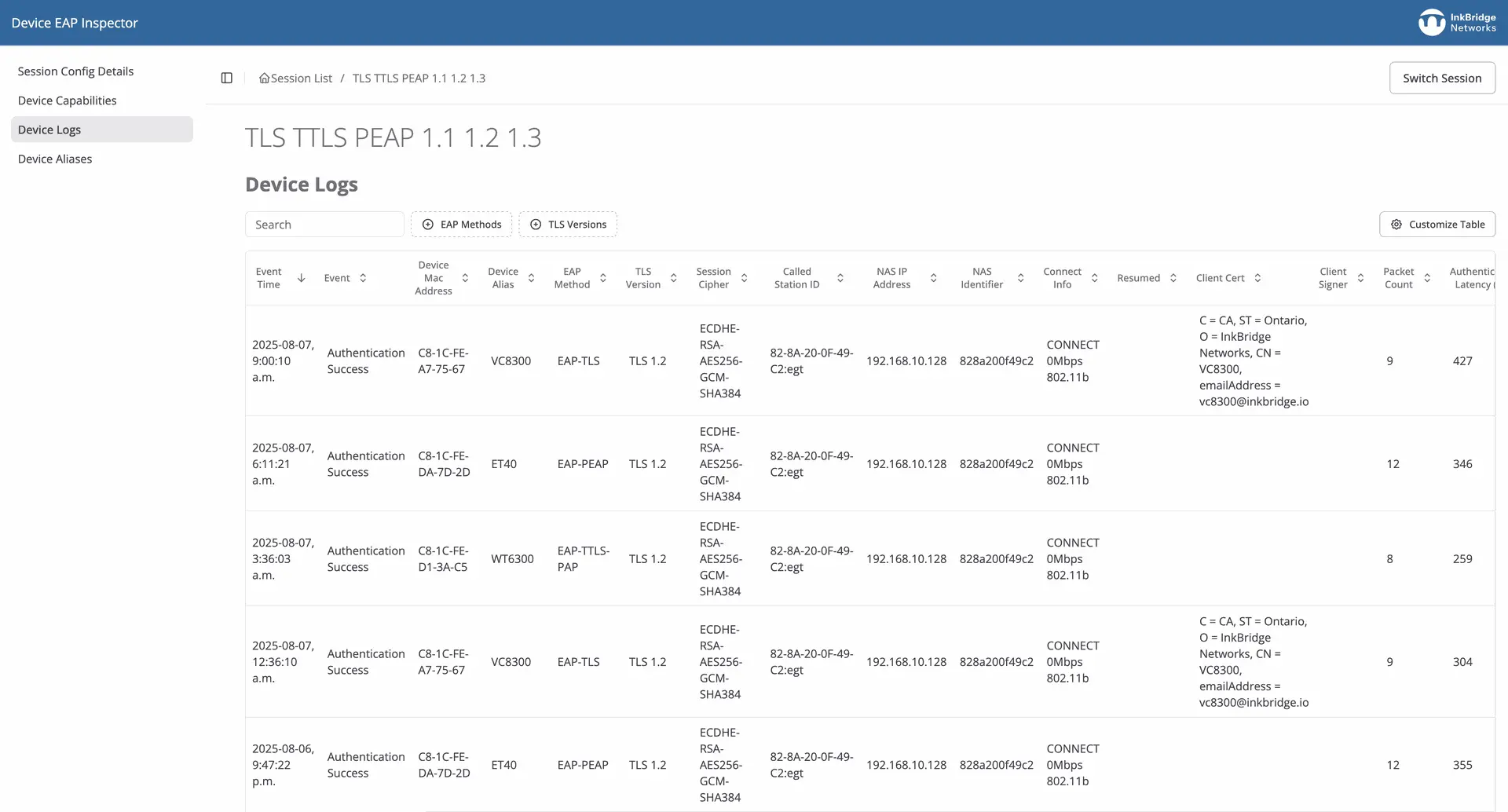
After a device software update, immediately determine which EAP and authentication features are now supported, ensuring that reliable operation and compliance are maintained.

Get InkBridge EAP Inspector today!
Our EAP characterisation tool is available exclusively for our support clients.
Empower your network, streamline compliance, and ensure seamless device integration
Essential for MNOs and MVNOs
For mobile network operators, reliable WiFi offloading and seamless connectivity are non-negotiable. EAP Inspector lets you quickly confirm that every handset supports the required EAP methods, including TLS session resumption, before reaching customers.
Know with confidence that your devices are ready for fast authentication and reliable transitions between cellular and WiFi networks. Eliminate compatibility surprises, reduce support calls, and ensure your users enjoy trouble-free connectivity from day one.
Essential for mixed legacy device environments
Any organisation with a wide variety of wireless devices can unlock superior security, easier compliance, and reduced operational friction through comprehensive device authentication testing.
Retail: Onboarding diverse POS and handheld devices
Warehouses & Manufacturing: Authenticating scanners, sensors, and IoT gear
Healthcare: Securing patient monitors, tablets, staff devices
Large Enterprises: Ensuring policy compliance in mixed-OS, multi-vendor fleets


Looking for FreeRADIUS support instead?
Get expert support from the people who wrote FreeRADIUS (not to mention many of the RADIUS standards).
Focus on your business,
not your network
Check out our full suite of foundational protocol products for RADIUS, DHCP, TACACS+, and DNS. Our products, coupled with world class professional services and support, ensures that your network is always fast, secure, and resilient.
Frequently asked questions
EAP Inspector characterises support for EAP-TLS, EAP-TTLS, PEAP, EAP-FAST, EAP-SIM, EAP-AKA, EAP-MSCHAPv2, and other common EAP methods.
Yes, EAP Inspector automatically identifies which devices in your fleet support TLS session resumption, a critical performance optimisation for wireless networks.
Manual testing with tools like eapol_test works for individual devices but doesn't scale. EAP Inspector automates testing across your entire device fleet, providing comprehensive authentication profiles and compliance reports.
EAP Inspector is designed for ISPs, mobile network operators, large enterprises, healthcare organisations, and any organisation managing diverse wireless device fleets requiring 802.1X authentication.
Related Resources

Common EAP configuration problems and how to fix them

Configuring EAP for FreeRADIUS
Once FreeRADIUS has been configured to use PAP, it is straightforward to configure the server to use EAP for authentication. This article will walk through all the necessary steps.

Command line testing for EAP with FreeRADIUS

Get in touch!
Whether you’re deploying an entirely new system, updating an existing one, or just need an expert review.